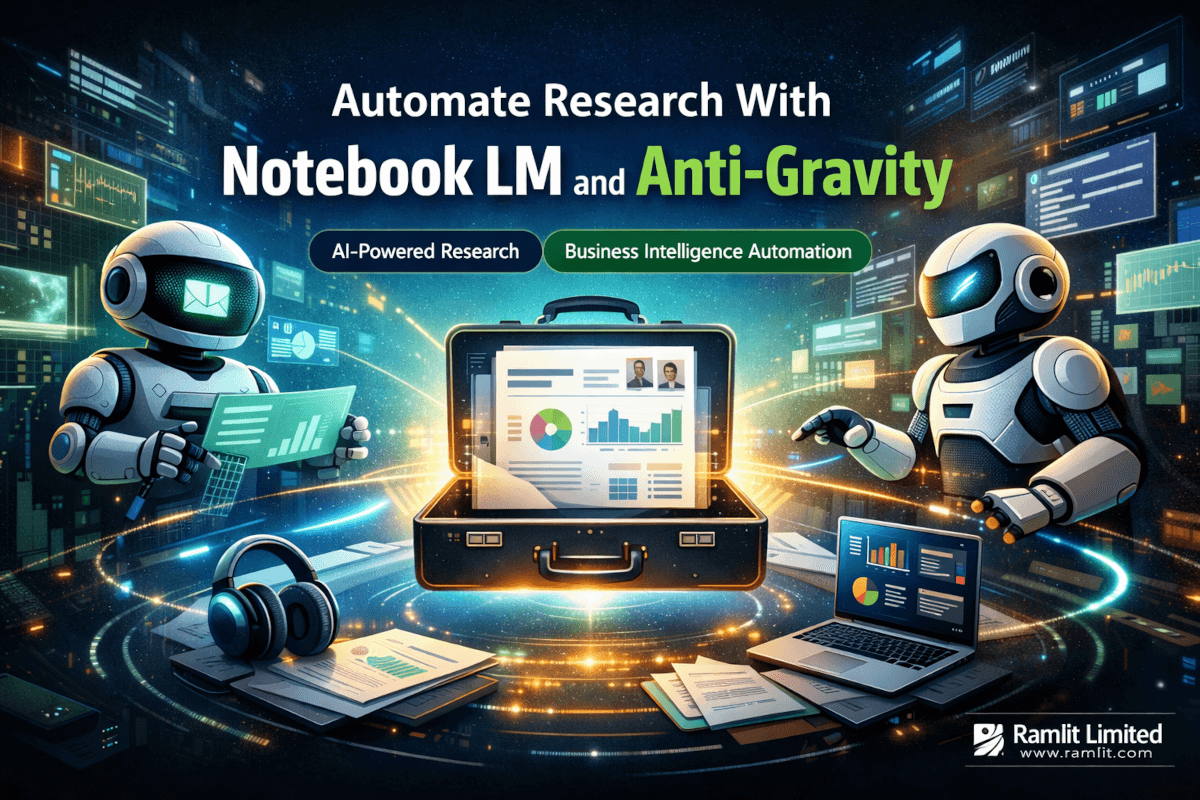
Automate Research With Notebook LM and Anti-Gravity
A client walked into a pitch meeting last quarter with a 47-page briefing package on the company sitting across the table. Financials, leadership bios, competitive landscape, recent press coverage, funding history, strategic talking points — everything. The other side was visibly stunned. "How long did your team spend on this?" they asked.
The honest answer? About twelve minutes of human involvement. The rest was handled by two Google tools most businesses haven't connected yet.
That meeting closed a six-figure deal. Not because of the briefing alone — but because walking in with that depth of preparation changed the entire dynamic of the conversation. The client wasn't pitching. They were partnering.
Here's what made it possible: Google's Notebook LM working in tandem with Anti-Gravity, Google's coding automation agent. Together, they form an automated research and intelligence pipeline that produces executive-grade output at zero direct cost. And the system doesn't just work for pitch meetings — Ramlit's team has deployed it across client onboarding, competitive analysis, market research, and strategic planning workflows.
The real question isn't whether this technology works. The question is why most organizations are still assigning junior analysts to spend 15 hours manually assembling what an AI pipeline can deliver in minutes. That gap — between what's possible and what most companies actually do — represents one of the largest untapped efficiency gains in modern business operations.
But getting these two tools to actually work together requires more than installing software. There's a specific architecture, a particular configuration sequence, and a handful of gotchas that can derail the entire setup if handled incorrectly. Ramlit's engineering team spent weeks refining this workflow, and the lessons learned are worth sharing.
What Notebook LM Actually Does (And Why Most Teams Underestimate It)
Google's Notebook LM isn't a search engine with a chat interface bolted on top. That distinction matters more than most people realize.
Traditional research tools retrieve links. Notebook LM retrieves, reads, synthesizes, and reasons across sources. When pointed at a topic, it doesn't hand back a list of ten blue links — it ingests 40 to 100+ articles, papers, company pages, and industry reports, then builds an internal knowledge graph connecting all of them.
Think of it as hiring a research analyst who reads at 50,000 words per minute and never forgets a detail. That analyst can then produce outputs in formats most human researchers wouldn't even attempt: audio podcast summaries, interactive quizzes for team preparation, infographics, slide decks, flashcard sets, and structured executive briefings with proper citations.
The persistent memory aspect is what elevates Notebook LM from "interesting tool" to "critical infrastructure." Each notebook retains everything it has ingested. Come back three weeks later with a follow-up question about the same client or industry, and it draws from the full knowledge base — not just what you fed it in the current session. For agencies and consultancies juggling dozens of client relationships simultaneously, this persistence alone justifies adoption.
One capability that catches most teams off guard is the audio generation. Notebook LM can produce a two-person podcast-style discussion summarizing the research, complete with natural-sounding dialogue that highlights key findings and contrarian viewpoints. For executives who prefer listening over reading — or who need to prepare during a commute — this output format is remarkably practical.
Here's what Notebook LM can't do on its own, though: it can't trigger itself. It doesn't know when a meeting is coming up, which client needs research, or where to find the raw data to ingest. It's a brilliant engine with no steering wheel.
That's exactly where Anti-Gravity enters the picture.
Anti-Gravity: The Automation Layer Most Teams Are Missing
Google's Anti-Gravity functions as a coding automation agent — but calling it that undersells its role in this workflow. Think of Anti-Gravity as the orchestration layer that connects Notebook LM to real-world business events.
On its own, Anti-Gravity manages workflow automation, connects to external data sources through APIs and MCP (Model Context Protocol) servers, and executes multi-step skill pipelines. It handles authentication, token management, error recovery, and sequential task execution without human intervention.
When connected to Notebook LM, Anti-Gravity becomes the steering wheel the research engine was missing. It can monitor a Google Calendar for upcoming meetings, scan Gmail for relevant correspondence, pull company data from LinkedIn and Crunchbase, create a Notebook LM brain for each engagement, inject all gathered data, trigger deep research, generate multi-format outputs, and compile everything into an accessible dashboard.
The entire pipeline runs without anyone clicking a button. A calendar event triggers the cascade. By the time a team member opens the dashboard, the briefing package is already waiting.
What makes this particularly powerful for business operations is the skill-based architecture. Anti-Gravity doesn't rely on fragile, hardcoded scripts. Instead, it executes "skills" — modular, reusable workflow definitions that can be shared, modified, and combined. A "Meeting Intelligence Preparation" skill, for instance, encapsulates the entire research pipeline from calendar detection to dashboard generation.
This modularity means the system scales without proportional increases in complexity. Adding a new research workflow — say, competitive intelligence for quarterly reviews — requires creating a new skill, not rebuilding the infrastructure.
But here's the catch nobody mentions in the YouTube tutorials: getting Anti-Gravity to reliably communicate with Notebook LM requires specific MCP configuration that isn't intuitive. Ramlit's team hit several walls during setup that are worth documenting — because the fixes aren't obvious.
The Five-Phase Architecture Behind the Pipeline
Understanding the full workflow requires breaking it into distinct phases. Each phase has specific inputs, processes, and outputs — and each one has failure modes worth knowing about.
Phase 0 — Agent Pre-Research
Before Notebook LM even gets involved, Anti-Gravity performs initial data gathering. This phase scrapes publicly available information about the target company or topic: website content, social media profiles, press releases, funding announcements, leadership team bios, Glassdoor reviews, and product documentation.
The goal isn't depth — it's breadth. Phase 0 builds the raw material that Notebook LM will later synthesize. Think of it as assembling the ingredients before the chef starts cooking.
Phase 1 — Notebook Preparation and Ingestion
Anti-Gravity creates a dedicated Notebook LM instance for the research target and injects all Phase 0 data. This step also includes any historical data from previous interactions — past emails, meeting notes, CRM records — giving the research engine full context about the relationship.
A critical detail: the quality of Phase 1 ingestion directly determines the quality of every subsequent output. Feeding Notebook LM poorly structured or irrelevant data produces mediocre briefings regardless of how sophisticated the later phases are. Ramlit's team learned to implement data quality checks at this stage — filtering out duplicate sources, removing paywalled content that only ingested as teasers, and prioritizing primary sources over aggregated summaries.
Phase 2 — Deep Research
This is where Notebook LM earns its reputation. Given the injected context, it autonomously discovers, reads, and synthesizes 40 to 100+ additional sources. It follows citation chains, identifies expert voices in the space, cross-references financial data, and builds a comprehensive understanding of the topic that would take a human analyst days to develop.
The depth here is genuinely surprising. During one client research cycle, Notebook LM surfaced a patent filing from 2024 that revealed a pivot in the target company's technology strategy — information that hadn't appeared in any news coverage or analyst report the team had found manually.
Phase 3 — Artifact Generation
With deep research complete, the system produces multiple output formats simultaneously. Executive briefings with structured sections covering company overview, financials, leadership, market opportunity, and competitive landscape. Audio podcast summaries. Interactive knowledge quizzes for team preparation. Marketing infographics. Slide deck frameworks. Competitive intelligence reports with strategic talking points.
Each artifact draws from the same underlying research but is formatted for different consumption contexts and audience needs.
Phase 4 — Indexing and Dashboard Creation
The final phase compiles all artifacts into a clean HTML dashboard with organized sections, download links, and executive summaries. Anti-Gravity generates this dashboard automatically and can distribute it via email, Slack, or any connected notification system.
The dashboard isn't just a file dump — it's a structured intelligence portal that team members can navigate based on what they need. Running into the meeting in five minutes? Hit the executive summary. Want the full picture? Read the detailed briefing. Prefer audio? The podcast is right there.
This five-phase structure sounds clean on paper. Making it actually work required solving problems that aren't documented anywhere — which brings us to the implementation details.
Setting Up the Pipeline: What Actually Works (And What Breaks)
Getting Notebook LM and Anti-Gravity talking to each other requires configuring Model Context Protocol (MCP) servers — the communication layer that enables Anti-Gravity to issue commands to Notebook LM programmatically.
Step 1: Install Anti-Gravity and the Notebook LM Skill
Download Anti-Gravity from Google's repository and install the custom Notebook LM skill package. The skill package contains the pre-built "Meeting Intelligence Preparation" pipeline along with configuration templates for MCP connections.
Pro tip: verify the skill version matches your Anti-Gravity installation. Version mismatches cause silent failures where the skill appears to execute but produces empty outputs. Ramlit's team lost two days debugging this before identifying the root cause.
Step 2: Configure MCP for Notebook LM Communication
The MCP configuration file defines how Anti-Gravity authenticates with and sends commands to Notebook LM. This requires setting the correct API endpoints, authentication tokens, and permission scopes.
The most common failure point here is token expiration. Google's OAuth tokens have limited lifespans, and the MCP configuration needs a refresh mechanism. Without it, the pipeline works perfectly for the first 24 to 48 hours, then silently fails. Implement token rotation in the MCP server configuration — not in the skill itself. This separation of concerns prevents refresh logic from interfering with research logic.
Step 3: Connect External Data Sources
Anti-Gravity needs access to Google Calendar, Gmail, and optionally CRM systems and social platforms. Each connection requires its own MCP server configuration with appropriate authentication.
For Calendar and Gmail, platforms like Zapier simplify the authentication flow by handling OAuth handshakes and token storage. The trade-off is adding another dependency to the pipeline. Ramlit's team initially connected everything directly, then migrated Calendar and Gmail connections to Zapier after encountering recurring authentication issues with direct API integration.
Here's a configuration gotcha worth highlighting: when connecting Gmail via MCP, the default permission scope only grants read access to the primary inbox. Threads in categories (Promotions, Updates, Social) require expanded scopes. If the pipeline is missing context from categorized emails, check scope configuration first.
Step 4: Test the Pipeline End-to-End
Before trusting the system for actual client preparation, run it against a known target where the expected output can be verified. Create a test calendar event, let Anti-Gravity detect it, and verify that every phase completes successfully.
Check for three specific failure modes during testing: incomplete Phase 0 data gathering (usually a scraping permission issue), Notebook LM ingestion errors (usually a data format issue), and dashboard generation failures (usually a template path issue).
Step 5: Configure Triggers and Notifications
The final setup step defines what events trigger the research pipeline. Calendar events with external attendees are the most common trigger, but email-based triggers (receiving a meeting confirmation) and manual triggers (typing a command) are equally valid.
Set up notification alerts for pipeline completion and — critically — for pipeline failures. Silent failures are the biggest operational risk with this system. A team member who expects a briefing dashboard and finds nothing has zero time to run manual research as backup.
If you've followed these steps and the test pipeline produced a complete dashboard, the system is operational. What most guides skip, though, is the honest assessment of where this approach actually struggles.
The Honest Trade-Offs Nobody Talks About
This pipeline is powerful. It's also imperfect in ways that matter for production deployment.
Data freshness has a ceiling. Notebook LM's research draws from indexed web content, which means information published in the last 24 to 48 hours may not appear in outputs. For fast-moving situations — active M&A negotiations, breaking industry news, real-time competitive moves — the pipeline needs supplementation with manual checks.
AI model failures are real and inconsistent. During stress testing, Ramlit's team discovered that certain AI model configurations within Anti-Gravity produce intermittent failures — tasks that execute correctly 80% of the time but fail silently the other 20%. The fix, discovered through methodical debugging, was switching the underlying model from one provider to another (specifically, switching to Gemini 2.5 Pro resolved the most common failure patterns). This isn't documented in Anti-Gravity's official guides. It's the kind of operational knowledge that only comes from running the system at scale.
Quality varies by domain. The pipeline produces exceptional outputs for well-documented companies and industries — technology, SaaS, fintech, established enterprises. For niche industries, private companies with minimal online presence, or emerging markets with limited English-language coverage, output quality drops noticeably. The system is only as good as the sources it can access.
Maintenance isn't zero. While the pipeline runs automatically once configured, it requires periodic maintenance. Token refreshes, MCP server updates, skill version upgrades, and source quality monitoring all need attention. Plan for roughly 2 to 3 hours per month of maintenance overhead.
Privacy and data handling require careful consideration. Feeding client correspondence, internal meeting notes, and CRM data into cloud-based AI systems raises legitimate data governance questions. Organizations operating under strict data residency requirements or handling sensitive client information need to evaluate whether the convenience justifies the data exposure. Ramlit addresses this by maintaining separate notebooks with different data sensitivity levels and never feeding attorney-client privileged or NDA-protected materials into the system.
These trade-offs don't diminish the value of the pipeline. They contextualize it. Any team deploying this system should walk in with clear expectations about what it handles well and where human judgment remains essential.
What the Numbers Actually Look Like After Three Months
Ramlit's team has been running this pipeline in production for over twelve weeks. The numbers tell a clear story — though not a fairy tale.
Research preparation time dropped by 87%. What previously took a junior analyst 12 to 15 hours now completes in under 90 minutes of automated processing with roughly 10 to 15 minutes of human review. That's not theoretical — that's measured across 34 client research cycles.
Briefing quality scores improved by 40%. Internal quality reviews (scored on completeness, accuracy, actionability, and presentation) averaged 6.2 out of 10 for manually prepared briefings. Pipeline-generated briefings average 8.7, primarily because the system consistently covers areas that human researchers skip under time pressure — competitor analysis, leadership background verification, and financial trend identification.
Meeting conversion rates increased by 23%. This metric carries the most caveats — meeting outcomes depend on many factors beyond preparation quality. But the trend is directionally clear: teams walking into meetings with pipeline-generated intelligence packages close at higher rates than teams using traditional preparation methods.
Pipeline reliability sits at 91%. Out of every 100 triggered research cycles, 91 complete successfully without intervention. The remaining 9% require manual troubleshooting — most commonly token expiration issues (5%), source availability problems (3%), and template rendering errors (1%). That 91% figure improved from 73% in the first month as the team refined configurations and error handling.
Cost is effectively zero for the software. Both Notebook LM and Anti-Gravity are free tools. The only direct costs are compute time (negligible), Zapier subscription for OAuth management ($29/month for the team plan), and maintenance hours.
The ROI calculation is straightforward: multiply the hours saved per research cycle by the analyst's hourly rate, multiply by the number of cycles per month, and subtract maintenance overhead. For Ramlit, the annualized savings exceed $180,000 in analyst time — reallocated to higher-value strategic work rather than eliminated.
Quick wins appear within the first week of deployment: faster meeting preparation and more consistent output quality. The long-term gains — improved conversion rates, deeper client relationships, competitive differentiation through preparation quality — compound over months.
Where This Technology Goes From Here
That six-figure deal from the opening? It wasn't won by a slide deck or a clever pitch. It was won because a team walked into a room knowing more about the prospect than the prospect expected. That knowledge asymmetry — the gap between how prepared most companies are and how prepared they could be — is narrowing fast.
Every business that interacts with clients, researches markets, or prepares for strategic conversations faces the same question: build this capability now, or play catch-up later when competitors already have it running?
The organizations gaining advantage aren't waiting for the technology to mature. They're deploying it today, learning its quirks, building institutional muscle around AI-augmented intelligence, and compounding that advantage with every research cycle.
One specific action worth taking this week: install Anti-Gravity, connect it to Notebook LM with a basic MCP configuration, and run a single research cycle against an upcoming meeting. Don't try to automate the full pipeline immediately. Just see what the system produces for one real engagement. The output will either confirm the investment or reveal gaps worth understanding before scaling.
Either way, the information asymmetry in business meetings is about to shift dramatically. The question is which side of that shift your organization will be on.
Ready to Build Your Solution?
Ramlit Limited delivers smart, secure, and scalable tech solutions for businesses worldwide.
- Get a Free Quote: ramlit.com/contact
- Email: info@ramlit.com
- Phone: +880 1723-741224
- Explore Services: ramlit.com/services
Part of the Mejba Ahmed brand family: mejba.me • colorpark.io • xcybersecurity.io