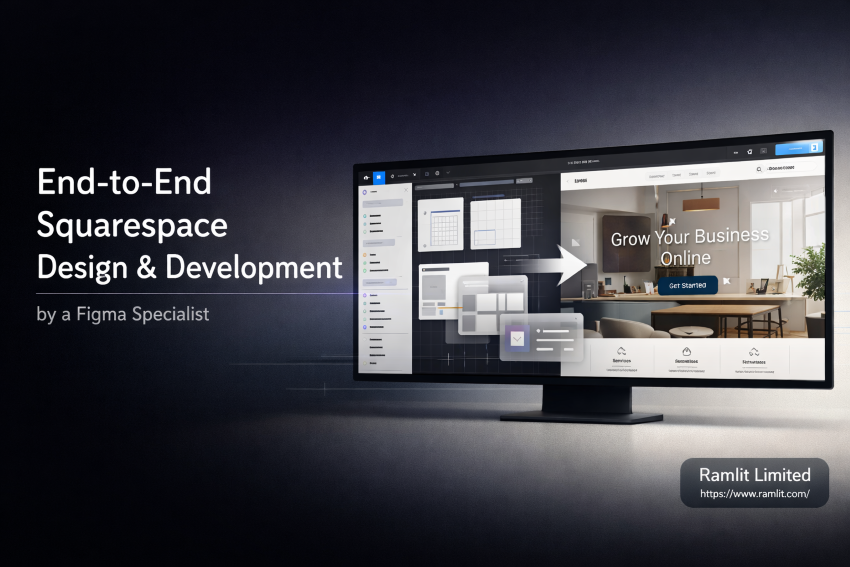

Introduction
A Squarespace website should feel effortless to use—and powerful behind the scenes.
Yet many businesses struggle with websites that look almost right but don’t quite perform. The design feels generic. The layout doesn’t match the brand. The user journey is unclear. And despite good intentions, conversions stay flat.
Often, the problem isn’t Squarespace itself. It’s the gap between design vision and real implementation.
That’s where end-to-end Squarespace design and development by a Figma specialist makes the difference.
When your website starts in Figma—where strategy, layout, and user experience are carefully planned—and is then translated precisely into Squarespace, the result is a site that feels intentional, professional, and conversion-ready.
In this guide, you’ll learn:
- Why starting with Figma creates better Squarespace websites
- What “end-to-end” really means in professional web delivery
- How expert Squarespace development avoids common platform limitations
- What to expect from a Figma-to-Squarespace workflow
- How to choose a specialist who delivers results, not just visuals
If you want a Squarespace website that reflects your brand, supports your goals, and grows with your business, this article will show you how it’s done—properly.
What “End-to-End Squarespace Design & Development” Actually Means
Many services promise “Squarespace design.” Few deliver end-to-end ownership.
End-to-end Squarespace design and development covers the entire lifecycle of your website—from idea to launch and beyond.
That includes:
- Strategy and discovery
- UI/UX design in Figma
- Conversion-focused layouts
- Precise Figma-to-Squarespace implementation
- Custom styling and functionality
- Responsive optimization
- Performance, SEO, and usability checks
Instead of patching things together, everything flows as one cohesive process.
The benefit? No disconnects. No compromises. No “this looked better in the design.”
Why Figma Is the Foundation of High-Quality Squarespace Websites
Figma isn’t just a design tool—it’s a decision-making tool.
Before a single block is added in Squarespace, Figma allows you to:
- Define brand consistency
- Map user journeys
- Test layout hierarchy
- Validate spacing, typography, and visual balance
- Align stakeholders before development begins
This upfront clarity saves time, reduces revisions, and leads to better outcomes.
Figma vs Designing Directly in Squarespace
Designing directly in Squarespace often leads to:
- Trial-and-error layouts
- Generic template dependency
- Design limitations discovered too late
- Rework during development
Starting in Figma flips the process:
- The design is intentional before it’s built
- Squarespace becomes the execution layer—not the experiment
- Custom solutions are planned, not forced
This is how professional agencies work—and why results feel different.
The Role of a Figma Specialist (Not Just a Designer)
A Figma specialist doesn’t just make things look good.
They understand:
- UX principles and user behavior
- Design systems and scalability
- How designs translate into real code and platforms
- Squarespace’s strengths and limitations
- How to design for implementation, not just aesthetics
This matters because beautiful designs that can’t be built efficiently are expensive mistakes.
A specialist designs with Squarespace in mind—ensuring:
- Feasibility
- Performance
- Responsiveness
- Maintainability
Squarespace as a Platform: Strengths, Limits, and Opportunities
Squarespace is powerful—but only when used correctly.
Where Squarespace Excels
- Clean, secure hosting
- Reliable performance
- Strong content management
- Built-in SEO fundamentals
- Easy client-side maintenance
Where Many Projects Go Wrong
- Over-reliance on default templates
- Poor block structure
- Limited customization knowledge
- Inconsistent styling
- Bloated third-party plugins
An expert Squarespace developer bridges this gap—unlocking custom layouts, advanced styling, and smarter integrations while keeping the platform stable and manageable.
The End-to-End Figma to Squarespace Workflow
Here’s how a professional, end-to-end process typically works:
1. Discovery & Strategy
This phase defines:
- Business goals
- Target audience
- Conversion objectives
- Competitor positioning
- Content structure
No design starts without clarity.
2. UI/UX Design in Figma
The entire website is designed in Figma:
- Homepage
- Inner pages
- Mobile and tablet views
- Component styles
- Interaction logic
Feedback happens here—fast and visually.
3. Design System & Consistency
Colors, fonts, spacing, and components are standardized so the site remains consistent as it grows.
This prevents “design drift” over time.
4. Figma-to-Squarespace Development
This is where expertise matters most.
A specialist:
- Recreates the Figma design precisely
- Uses Squarespace’s advanced layout tools
- Applies custom CSS where necessary
- Optimizes blocks for responsiveness
- Ensures accessibility and performance
The goal is fidelity and function.
5. Content, SEO & Performance Optimization
Before launch:
- Page speed is optimized
- SEO basics are implemented correctly
- Headings and structure are validated
- Mobile experience is tested thoroughly
6. Launch & Post-Launch Support
A true end-to-end service doesn’t disappear after launch.
It includes:
- Client handover
- Editing guidance
- Optional maintenance or support
- Scalability planning
Conversion-Focused Design: More Than Just Looks
A professional Squarespace site should do more than impress—it should convert.
That means:
- Clear messaging
- Logical page flow
- Strategic CTAs
- Trust signals
- Reduced friction
Figma allows these decisions to be made intentionally, while Squarespace brings them to life.
Design without strategy is decoration. Design with strategy is growth.
Common Objections (And Honest Answers)
“Can’t I just use a Squarespace template?”
You can—but templates are designed for everyone, not you.
They often:
- Limit brand differentiation
- Force awkward content structures
- Require compromises as you grow
Custom design avoids these issues.
“Isn’t custom design expensive?”
It’s an investment—but one that saves money long-term by:
- Reducing redesigns
- Improving conversion rates
- Supporting growth without rebuilding
Cheap sites are often the most expensive later.
“Will I be able to manage the site myself?”
Yes. Squarespace remains user-friendly when built correctly.
A specialist designs systems that are:
- Editable
- Scalable
- Clear for non-technical users
Who This Service Is Best For
End-to-end Squarespace design and development is ideal for:
- Startups and founders
- Consultants and coaches
- Creative professionals
- Agencies
- SaaS landing pages
- Growing businesses that care about brand quality
If your website is a core part of your business, this approach makes sense.
Why Professionalism Matters in 2026 and Beyond
Users judge credibility in seconds.
Your website communicates:
- Trustworthiness
- Attention to detail
- Brand maturity
- Value perception
A professionally designed Squarespace site built from Figma doesn’t just look better—it feels reliable.
And that feeling drives action.
Bullet Points / Quick Takeaways
- Figma-first design leads to better Squarespace results
- End-to-end services eliminate miscommunication and rework
- Custom Squarespace builds outperform templates long-term
- A Figma specialist designs for usability and scalability
- Conversion-focused layouts increase ROI, not just aesthetics
Call to Action (CTA)
If you’re ready to move beyond templates and build a Squarespace website that truly represents your brand, an end-to-end Figma to Squarespace approach is the smartest path forward.
Whether you need a new website, a redesign, or expert implementation, working with a Figma specialist ensures clarity, consistency, and results.
👉 **Let’s design and build a Squarespace website that works as hard as you do.click here
FAQ Section
Do I need an existing Figma design?
No. The full service includes design in Figma from scratch if needed.
Can you redesign my current Squarespace site?
Yes. Existing sites can be redesigned and improved without losing content.
How long does the process take?
Most projects take 2–4 weeks depending on complexity and feedback cycles.
Is custom CSS safe in Squarespace?
When written correctly by a specialist, yes—it enhances flexibility without harming stability.
Will my site be SEO-friendly?
Yes. Structure, speed, and SEO best practices are built into the process.
Final Note
This blog was written to:
- Build authority
- Answer real buyer questions
- Compete with agency-level content
- Convert readers into inquiries