
Introduction
Your store is getting traffic, people browse… but then nothing. No questions asked. No products compared. No “Can you help me choose?”
They just leave.
In a physical shop, a good salesperson steps in at the right moment: “Looking for something specific?” “Need help picking the right size?”
Online, most stores still leave people alone with their confusion.
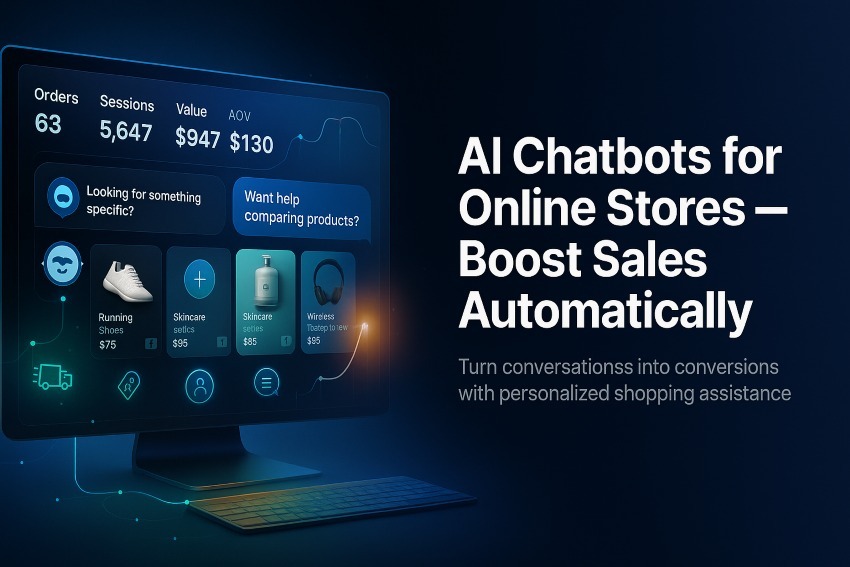
That’s where AI chatbots for online stores change the game. Done right, they become a 24/7 sales assistant that:
- Answers questions instantly
- Recommends products based on intent
- Saves abandoned carts
- Handles support so your team can focus on higher-value work
This guide is for store owners, ecommerce managers, and marketers who want more revenue from the same traffic — without hiring a big support team or rewriting their tech stack.
You’ll learn:
- What AI chatbots actually do (beyond generic “How can I help?” popups)
- How they boost conversion rate, AOV, and customer lifetime value
- Practical use cases that you can switch on step by step
- How to choose and implement the right AI chatbot for your online store
- Common mistakes to avoid so you don’t annoy shoppers or hurt your brand
By the end, you’ll have a clear, practical blueprint to turn AI chatbots into a real revenue driver — not just another widget on your site.
What Are AI Chatbots for Online Stores?
At a basic level, an AI chatbot is a virtual assistant that lives on your website, in your store’s chat widget, or in channels like WhatsApp, Messenger, or Instagram. It can:
- Understand customer questions in natural language
- Respond with relevant answers in seconds
- Guide visitors through the buying journey
AI Chatbots vs. Rule-Based Chatbots
It’s important to separate AI chatbots from the older rule-based bots many stores tried years ago.
Rule-based chatbots:
- Rely on fixed buttons and “if user clicks X → show Y” flows
- Break easily when the customer types something unexpected
- Feel rigid, scripted, and frustrating
AI chatbots:
- Use natural language processing to understand free-form questions
- Can handle variations like “Where’s my order?”, “Track order”, “My package?”, etc.
- Learn from examples, FAQs, and past conversations to improve over time
For ecommerce, this difference is crucial. Shoppers don’t think in flows – they ask questions the way they talk. AI lets your bot meet them where they are.
Why AI Chatbots Matter for Ecommerce
You already know competition is brutal. Ad costs rise, attention spans shrink, and shoppers compare multiple stores before buying.
AI chatbots help your store win that comparison by improving three core areas:
1. 24/7 Instant Support
Shoppers don’t care about your working hours. They ask questions:
- Late at night
- On weekends
- During holidays
If they can’t get quick answers, they leave and buy somewhere else.
An AI chatbot can:
- Answer instantly when a human agent isn’t available
- Resolve simple issues (shipping info, sizing, returns, order status)
- Hand off to humans only when necessary
That means you capture more sales outside office hours and reduce the number of tickets your team needs to touch.
2. Less Friction, More Conversions
Every unanswered question is friction:
- “Is this compatible with my device?”
- “Will this arrive before X date?”
- “What’s the difference between these two products?”
AI chatbots reduce friction by:
- Giving clear, fast answers right on the product or cart page
- Guiding people to the right product instead of making them search
- Handling objections at the moment they appear
The smoother the journey, the more visitors become buyers.
3. Personalized Experiences at Scale
Personalization used to mean inserting someone’s first name into an email. Today, shoppers expect more:
- Recommendations that match their use case
- Suggestions that reflect what they’ve viewed or added to cart
- Context-aware answers (e.g., “For oily skin, go with this set…”)
AI chatbots can:
- Use what the customer says (and sometimes what they’ve browsed)
- Provide tailored recommendations and guidance
- Make the experience feel like a helpful associate, not a generic FAQ bot
Result: higher average order value (AOV) and more returning customers.
High-Impact Use Cases for AI Chatbots in Online Stores
Let’s get concrete. Here are the most valuable ways online stores use AI chatbots to boost sales automatically.
1. Welcome Flows and Product Discovery
Instead of a generic popup, your chatbot can greet visitors like this:
“Hey! What are you shopping for today?” – “Gifts” – “Something for myself” – “Not sure yet”
From there, it can ask 1–2 smart questions and lead them to:
- A curated collection
- A best-sellers list
- A short “quiz-like” flow to match products to needs
Why it works: It turns passive browsing into a guided experience — just like an associate in a physical store helping you find what fits.
2. Personalized Product Recommendations
Once the bot understands context, it can recommend products based on:
- Use case (e.g., “I need a backpack for travel”)
- Budget range
- Style preferences
- Any special constraints (allergies, size, device compatibility)
Example:
“Based on what you told me, these 3 products are your best options. Want a quick comparison of pros/cons?”
This not only boosts conversion but also increases AOV by suggesting bundles or complementary items.
3. Cart Recovery and Checkout Assistance
Abandoned carts are one of ecommerce’s biggest leaks.
AI chatbots can:
- Detect when someone tries to exit the cart page
- Proactively ask, “Anything stopping you from checking out?”
- Answer last-minute concerns (shipping, returns, sizing, payment methods)
- Offer a small incentive where appropriate to close the sale
They can also help with technical friction:
- Failed payment? Offer alternative methods.
- Discount code not working? Help apply it correctly.
The result: more recovered carts without manual intervention.
4. Automated FAQ and Policy Handling
Repetitive questions drain your support team:
- “What’s your return policy?”
- “Do you ship to my country?”
- “How long does delivery take?”
AI chatbots shine here:
- They can be trained on your FAQs, policies, and help center content.
- They respond in a way that’s easy to understand and on-brand.
- They keep humans free for complex or high-touch cases.
It’s a win-win: customers get quick answers, and your team gets time back.
Order Tracking and Post-Purchase Support
After the sale, customers still want answers:
- “Where is my order?”
- “Can I change my address?”
- “How do I use this product?”
Your AI chatbot can:
- Help track orders using an order number or email
- Share shipping status and estimated delivery
- Provide setup guides, how-tos, and helpful tips
- Handle simple post-purchase changes (within your policy limits)
This reduces “Where’s my order?” tickets and builds trust and loyalty.
6. Cross-Selling and Upselling
AI chatbots can also act as smart salespeople:
- On product pages: “Most buyers also add this protector/charger/ accessory.”
- After purchase: “Want to add this to your order before it ships?”
- In support chats: “That issue is common with X. This product solves it better.”
The key is relevance. AI can analyze what’s in cart, what’s viewed, and what the customer says to make helpful, not pushy suggestions.
7. Lead Capture and List Building
Not everyone is ready to buy on the first visit.
AI chatbots can elegantly capture leads by offering:
- Personalized recommendations via email
- First-order discounts
- Early access to new drops
- Helpful guides or checklists (depending on your niche)
Instead of a static popup, the bot can ask:
“Want a quick 3-product shortlist by email that matches what you told me?”
That’s a natural, value-led way to grow your email and SMS lists.
How AI Chatbots Actually Increase Sales
Let’s connect these use cases to the metrics that matter.
Higher Conversion Rate (CR)
- Answering pre-purchase questions reduces drop-offs.
- Guided product discovery helps shoppers find a fit faster.
- Overcoming objections (shipping, returns, fit) while the buyer is still on the page closes more sales.
Higher Average Order Value (AOV)
- Relevant cross-sells (“You might also like…”)
- Smart bundles based on needs (“Starter set vs. Complete set”)
- Post-purchase add-ons before fulfillment
Higher Customer Lifetime Value (CLV)
- Faster, better support leads to happier customers.
- Post-purchase education reduces returns and increases satisfaction.
- Nurturing via email/SMS from chatbot-collected leads brings people back.
Lower Support Costs
- Fewer repetitive tickets (“Where’s my order?”, basic FAQs)
- Agents focus on complex or high-value conversations
- Faster response times without massively scaling headcount
All of this adds up to more revenue from the same traffic and a stronger profit margin.
Choosing the Right AI Chatbot for Your Online Store
Not every AI chatbot tool is equal. Before you add anything to your stack, think through what you actually need.
Must-Have Features
-
Ecommerce Integrations
- Connects to your platform (Shopify, WooCommerce, etc.)
- Can pull product data, variants, availability, and order status
-
Natural Language Understanding
- Handles varied phrases and questions gracefully
- Understands intent even if spelling or grammar isn’t perfect
-
Content Training & Knowledge Base
- Can be trained on your FAQs, policies, product descriptions
- Easy to update as your store evolves
-
Conversation Handover to Humans
- Smoothly transfers complex chats to human agents
- Preserves conversation history so customers don’t repeat themselves
-
Analytics & Reporting
- See how many conversations, resolved queries, and influenced orders
- Spot common questions to improve your site and content
-
Multichannel Support (Nice to Have)
- Website widget, but also WhatsApp, Facebook, Instagram, etc.
- Consistent experience across channels
Questions to Ask Before You Decide
- Will this chatbot integrate cleanly with our current store and tools?
- How hard is it to train and maintain?
- Can we control tone and answers to stay on-brand?
- How does it handle edge cases and “I don’t know” moments?
- What happens when a customer wants a human?
If a tool can’t answer those clearly, it’s likely to disappoint your team and your customers.
Implementation Blueprint: From Zero to Live in 7 Steps
Here’s a straightforward plan to get an AI chatbot live without chaos.
Step 1: Define the Bot’s Main Job
Don’t start with “It should do everything.”
Start with 1–2 priorities:
- “Reduce pre-purchase drop-offs by answering product questions.”
- “Handle order tracking and FAQ so support can focus on complex issues.”
This focus will shape how you design flows and train content.
Step 2: Map Your High-Value Conversations
Look at:
- Past support tickets
- Live chat transcripts
- Common pre-sales emails or DMs
Group them into:
- Pre-purchase questions (fit, compatibility, features)
- Policy questions (shipping, returns, warranty)
- Order status questions
- Basic troubleshooting
These become your first training set and conversation flows.
Step 3: Prepare Content and Knowledge
Clean inputs = better outputs.
- Rewrite key FAQs for clarity and brevity.
- Ensure product descriptions actually answer real questions.
- Document any edge cases or special conditions.
Then, load this into your chatbot’s knowledge base (or however your chosen tool handles training).
Step 4: Design Key Flows
Even with AI, structure helps. Start with:
- Welcome flow (greeting + simple options)
- Product finder / quiz for your main category
- FAQ / policy lookup
- Order tracking
- Human handover trigger (“I’d like to talk to a person”)
Use quick-reply buttons for common paths to reduce friction.
Step 5: Set Boundaries and Fallbacks
AI is powerful, but it’s not magic. Define:
- What the bot should not answer (legal, medical, anything sensitive)
- A clear fallback message when it’s unsure
- When to escalate to a human, with a smooth handoff
Example fallback:
“I’m not 100% sure on that one and I don’t want to guess. Let me hand you over to a human from our team to help you properly.”
This protects your brand and keeps trust intact.
Step 6: Soft Launch and Internal Testing
Before going live to all traffic:
- Test internally with your team.
- Try to “break” the bot with weird questions.
- Check that links, product suggestions, and escalations work.
Then, soft launch:
- Show the chatbot to a segment of visitors (e.g., a % split)
- Monitor conversations daily
- Fix obvious gaps quickly
Step 7: Iterate Based on Real Conversations
After launch, your best improvement source is real customer chats.
- Identify the top questions the bot couldn’t answer well.
- Improve training content and flows.
- Refine tone, prompts, and suggested actions.
AI chatbots are not a “set and forget” tool. They’re living parts of your store that get better with intentional iteration.
Best Practices for High-Converting AI Chatbot Scripts
The tech matters, but how you talk to customers matters just as much.
Keep Messages Short and Scannable
- Use short sentences and line breaks.
- Avoid huge blocks of text.
- Put the most important info first.
Sound Human, Not Robotic
- Use a friendly, straightforward tone.
- Avoid over-formal language.
- A touch of personality is fine — you’re a brand, not a call center script.
Offer Choices, Not Walls of Text
Whenever possible:
- Use buttons for common next actions.
- Ask questions that move the conversation forward.
- Don’t make customers figure out what to type if they don’t have to.
Always Give a Clear Next Step
Every message should implicitly answer: “What can I do next?”
- “Want me to compare these two?”
- “Would you like to see options under $50?”
- “Should I connect you to a human for this?”
Respect the Customer’s Time
- Don’t force long “quizzes” for simple questions.
- If the bot can’t solve it in a few steps, escalate.
- Never hide the option to talk to a person if one is available.
Common AI Chatbot Mistakes to Avoid
Even good tools can create bad experiences if misused.
Mistake 1: Pretending the Bot Is Human
Customers can usually tell. If they feel tricked, trust drops.
Be transparent:
“I’m your AI assistant. I’ll answer what I can and bring in a human if needed.”
Mistake 2: Over-Automating Everything
Not every conversation should be bot-driven.
- Complex refunds
- Sensitive complaints
- Rare edge cases
All of these often need a human touch.
Mistake 3: No Clear Handoff to Support
Nothing frustrates a customer more than:
- Getting stuck in a loop
- Repeating themselves
- Not being able to reach someone real
Always provide a visible path to a human when available.
Mistake 4: “Fire and Forget” Implementation
If you set up a chatbot once and never revisit it:
- Content goes out of date
- Policies change
- New top questions emerge
Make chatbot review a recurring task — weekly or monthly at least.
Measuring Success: KPIs for AI Chatbots in Online Stores
If you can’t measure it, you can’t improve it. Track:
- Conversations started: Are people engaging?
- Resolution rate: How many questions does the bot solve without human help?
- Influenced revenue: Orders where the customer interacted with the bot.
- Conversion rate vs. non-chat users: Compare uplift.
- AOV for chat users: Check if recommendations and cross-sells work.
- Customer satisfaction (CSAT): Quick thumbs-up/down after chat.
Over time, these metrics tell you whether your chatbot is a cost or a growth engine.
When AI Chatbots Aren’t the Right Answer (Yet)
There are cases where you may want to wait or start small:
- You have almost no traffic or sales yet.
- Your catalog and policies change daily and aren’t documented.
- You don’t have even basic FAQs or support processes in place.
In these cases, focus first on:
- Clarifying your offer and catalog
- Establishing simple support processes
- Creating a basic FAQ and help center
Then layer in AI so it has something solid to stand on.
Bullet Points / Quick Takeaways
- AI chatbots for online stores act like 24/7 sales and support assistants.
- They’re different from old-school rule-based bots because they handle natural language and more varied questions.
- High-value use cases: product discovery, recommendations, cart recovery, FAQ automation, order tracking, cross-sells, and lead capture.
- They boost conversion, AOV, and CLV while reducing repetitive support workload.
- Choose tools that integrate with your store, train on your content, and support human handoff.
- Implement in steps: define the job, map conversations, prepare knowledge, design flows, set boundaries, test, then iterate.
- Script best practices: be clear, short, human, and always offer a next step.
- Avoid common pitfalls like pretending the bot is human, over-automation, and lack of handoff.
- Track KPIs like influenced revenue, resolution rate, and CSAT to know if it’s working.
- Done right, an AI chatbot becomes a conversion and retention asset, not just a support cost.
Call to Action (CTA)
If you’re serious about getting more sales from the traffic you already have, an AI chatbot is one of the most leverage-rich upgrades you can make.
Start simple:
- Pick your chatbot’s main job (pre-sales help, FAQs, or order tracking).
- Map the top questions it should handle.
- Launch a focused version, then improve it weekly based on real conversations.
Ready to explore what an AI chatbot could do for your store? Audit your current customer journey, list your most common questions, and choose one use case to implement in the next 7 days. That’s how you turn “we should automate more” into actual revenue.
FAQ Section
1) Will an AI chatbot replace my support team? No. Think of an AI chatbot as a front-line assistant, not a replacement. It handles repetitive, simple queries and guides shoppers through common scenarios. Your team still manages complex cases, exceptions, and relationship-building work.
2) Do customers really like chatting with bots? Customers like fast, accurate answers. If your chatbot is clear about being an AI assistant, solves real problems quickly, and offers a path to a human when needed, most shoppers are happy to use it — especially for simple questions.
3) How long does it take to set up an AI chatbot for my store? If you start with a focused scope (e.g., FAQs + order tracking), you can go from zero to a usable version relatively quickly. The bigger effort isn’t “installing a bot” — it’s organizing your content, mapping flows, and iterating based on real conversations.
4) What if the chatbot gives wrong or confusing answers? That’s why you need:
- Clear boundaries on what it can and can’t answer
- A fallback response when it’s unsure
- Regular review of conversations to catch issues
- Easy escalation to human agents
With those in place, you protect both the customer experience and your brand.
5) Is an AI chatbot worth it for small stores? If you get only occasional questions and low traffic, it might be overkill to start with a full AI setup. But if you’re seeing consistent pre-sales questions, abandoned carts, and support tickets, even a small store can gain a lot from a well-configured chatbot that runs 24/7.